|
|
 |
Members can now manage their golf lessons and golf school bookings online. Our online reservations system allows you to create, view, and delete reservations at a click of a button. If you want to take advantage of our online system just follow the three steps below.
Step #1 - Create an Account
In order to manage your lessons, you must have an account set up with us. To set up an account, click here.
Step #2 - Purchase Lessons
You can drop by The Golf Dome or purchase lessons online. Once you have an account and have purchased lessons, our staff at The Golf Dome will assign the required lessons to your account. To purchase lessons online, click here.
Step #3 - Login to Your Account
Once lessons are assigned to your profile you will have a new golf lessons button or golf school button appear within your account main page. Click on the appropriate button to create, view, or delete a reservation. To view your account, click here or click on the account button on the top right hand side of the web site.
|
|
|
|
|







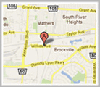 The Golf Dome
 The Golf Dome offers gift cards in any denomination over $10.00.